StreamYard Review 2026: Why So Many Creators Use It for Live Streaming
StreamYard has become one of the most popular browser-based live streaming platforms for creators, podcasters, businesses, churches, educators, and online communities.
After testing StreamYard ourselves across different livestream workflows, we found that one of its biggest strengths is simplicity. The platform makes professional live streaming surprisingly easy without requiring complicated software setups.
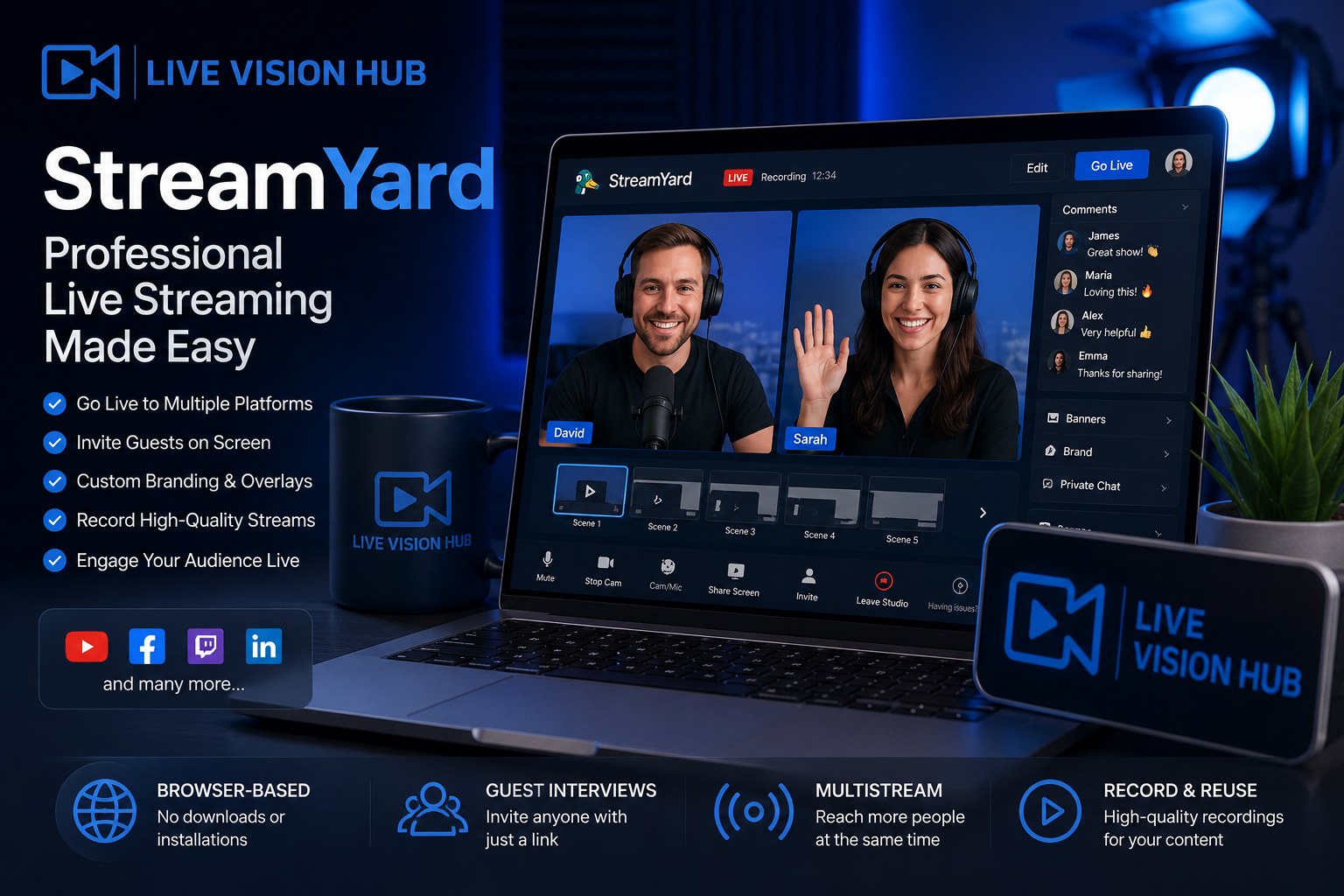
What Is StreamYard?
StreamYard is a browser-based live streaming and recording platform that allows users to create professional livestreams without installing heavy production software.
The platform supports multistreaming to destinations like YouTube, Facebook Live, LinkedIn, Twitch, and other RTMP-compatible platforms while also providing built-in guest streaming, branding tools, layouts, and live interaction features.
StreamYard is extremely beginner friendly while still offering enough professional features for serious creators and businesses.
Main StreamYard Features
Browser-Based Streaming
Stream directly from your browser without downloading complicated broadcasting software or managing difficult local setups.
Multistreaming
Broadcast live to multiple social media platforms simultaneously from a single stream workflow.
Guest Interviews
Invite guests directly into livestreams using simple browser links without requiring software installation.
Custom Branding
Add logos, overlays, banners, backgrounds, lower thirds, intros, and outros for more professional livestream presentations.
Local Recordings
Record high-quality local audio and video files separately for easier editing and better production quality.
Live Audience Interaction
Display comments on screen and interact with viewers directly during livestreams.
Why StreamYard Became So Popular
One reason StreamYard became extremely popular is accessibility. Many livestream platforms can feel technical and overwhelming for beginners, but StreamYard simplifies the process significantly.
Instead of focusing on complicated production environments, StreamYard focuses on helping creators go live quickly while still looking professional.
- YouTube livestreams
- Podcast interviews
- Business webinars
- Church livestreams
- Online coaching
- Educational livestreams
- Gaming talk shows
- Community live events
Our Experience Using StreamYard
During testing, StreamYard performed very reliably for browser-based streaming. The setup process was simple, guest invitations worked smoothly, and the interface remained easy to manage even during live sessions.
One of the most useful features was how quickly new livestreams could be created. Instead of spending time configuring complicated scenes and settings, the platform allowed us to focus more on the actual content.
StreamYard is especially strong for creators, interview-style content, webinars, podcasts, and businesses that want professional livestreams without dealing with overly technical software.
StreamYard vs Traditional Streaming Software
| Feature | StreamYard | Traditional Streaming Software |
|---|---|---|
| Setup Difficulty | Very beginner friendly | Often more technical |
| Installation | Browser-based | Usually requires installation |
| Guest Streaming | Built-in | Can require extra tools |
| Multistreaming | Built-in support | Often requires extra services |
| Best For | Creators, podcasts, webinars, businesses | Advanced production studios |
What We Like About StreamYard
The platform balances simplicity and professional presentation very well. Even users without livestreaming experience can create clean-looking broadcasts quickly.
We also liked how stable the guest system felt during testing. For interview-based content and podcasts, that reliability matters a lot.
Another advantage is speed. You can create, brand, schedule, and launch livestreams much faster compared to many traditional production workflows.
Things to Consider Before Using StreamYard
While StreamYard is excellent for many livestream workflows, creators who need extremely advanced scene automation, deep plugin ecosystems, or highly customized local production environments may still prefer desktop software like OBS Studio.
Also, some advanced branding and multistreaming features depend on the subscription plan you choose.
Who Should Use StreamYard?
Great For
- YouTube creators
- Podcast livestreams
- Interview shows
- Church streaming teams
- Businesses & webinars
- Online educators
- Community livestreams
Maybe Not Ideal For
- Highly complex TV-style productions
- Advanced hardware-heavy broadcasting
- Users needing deep OBS-style customization
- Extremely technical production environments
StreamYard Pricing
StreamYard offers free and paid plans depending on branding needs, recording quality, multistreaming limits, guest features, and streaming destinations.
Since platform pricing and features may change over time, it is best to check the latest details directly on the official StreamYard website.
Check StreamYard PricingFinal Verdict
StreamYard is one of the best browser-based livestreaming platforms for creators who want professional results without dealing with complicated production software.
After testing the platform ourselves, we found it reliable, easy to use, beginner friendly, and practical for many modern livestream workflows.
It may not replace every advanced studio environment, but for podcasts, interviews, webinars, YouTube livestreams, and business broadcasts, StreamYard is one of the strongest and easiest livestreaming tools available today.
Try StreamYard