Riverside.fm vs Zoom: Which Is Better for Recording Remote Podcasts?
Are you comparing Riverside.fm vs Zoom for recording your next remote podcast episode? You are on the right path.
While millions of creators initially started their podcasts on Zoom because of familiarity, the limits of cloud-compressed video and echoing audio became clear very quickly. Today, specialized browser-based recording studios are the standard.
In this detailed head-to-head comparison of Riverside.fm vs Zoom, we analyze the video resolution, audio quality, post-production features, and pricing to help you make the ultimate decision for your show.
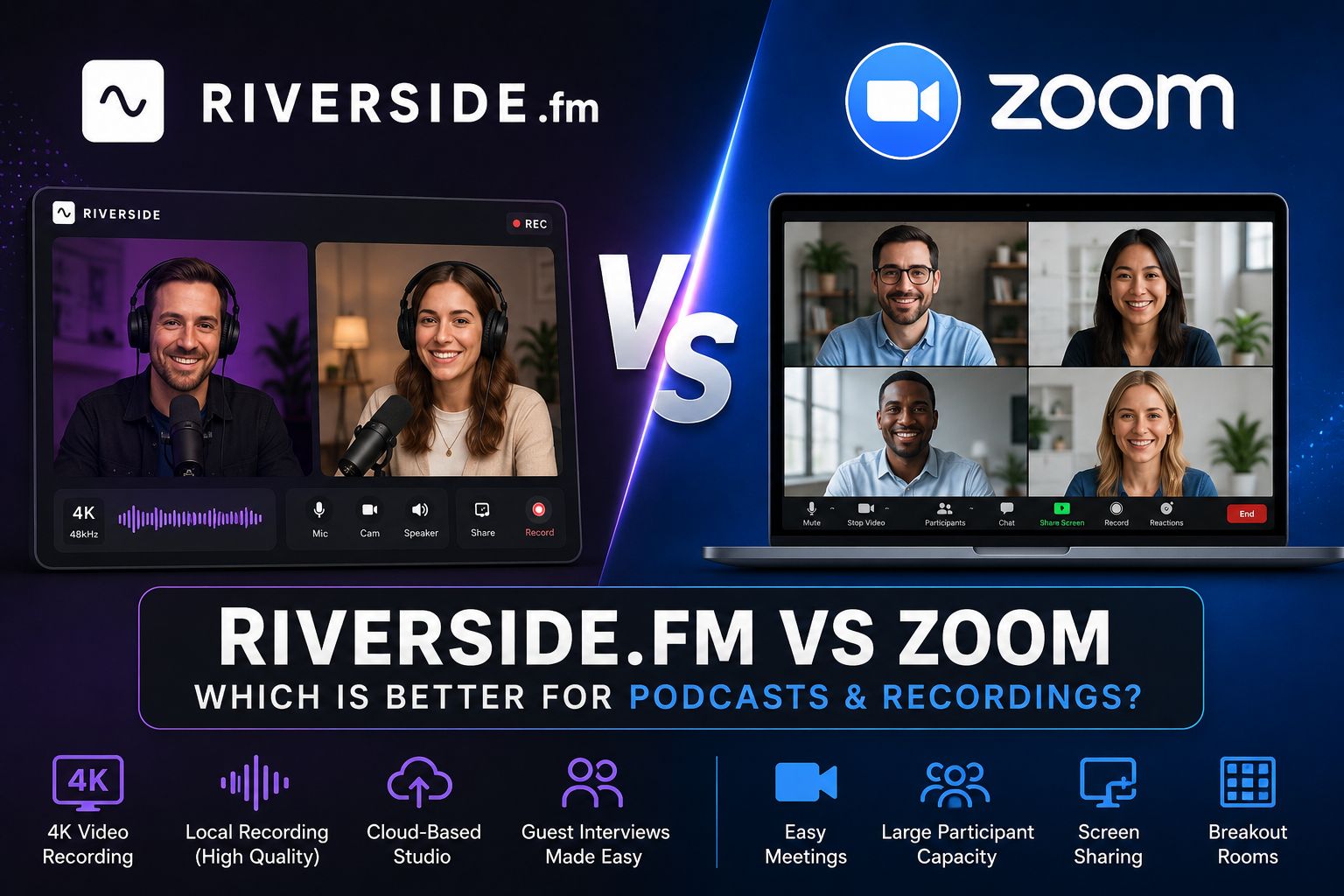
Why the Riverside.fm vs Zoom Debate Matters
When launching a remote show, audio and video clarity are your currency. Audiences will abandon a podcast with echoey rooms, laggy video sync, or sudden audio drops.
The core difference in the Riverside.fm vs Zoom matchup lies in how they capture files. Zoom is a web-conferencing tool that records compressed data over the cloud, whereas Riverside.fm is a dedicated production studio that records high-resolution tracks directly on each guest's local device.
Zoom records video call streams that travel across the internet. If your guest's Wi-Fi drops or lags, your recording lags too. Riverside records up to 4K video locally, completely independent of internet fluctuations, and uploads the crisp files seamlessly in the background.
Key Differences Analyzed
Video Quality
In the Riverside.fm vs Zoom battle for visual quality, Riverside wins by a landslide. Riverside records individual up to 4K local video tracks. Zoom cloud recordings are heavily compressed, capping out at 720p (or 1080p on special enterprise accounts).
Audio Fidelity
Another critical factor in the Riverside.fm vs Zoom debate is audio fidelity. Riverside captures uncompressed 48kHz WAV audio locally for each participant. Zoom compresses audio for fast data transport, often introducing digital artifacts and voice cutting.
Separate Master Tracks
Editing becomes a nightmare when different voices are baked into a single audio track. Riverside provides separate master video and audio files for each guest. Zoom can separate audio but cannot record clean, isolated individual video feeds.
AI-Driven Features
Riverside features built-in AI tools (such as Magic Clips) that automatically generate short-form vertical reels (TikToks, Shorts, Reels) from your long recordings with auto-captions. Zoom mainly uses AI for post-meeting summaries and text transcripts.
Guest Experience
Zoom usually requires your guests to install a desktop app or log in. Riverside runs entirely inside Google Chrome or Microsoft Edge. Guests simply click your shared studio link and join instantly without downloading software.
Reliability & Uploads
If a guest’s computer suddenly crashes on Zoom, the recording is lost or corrupted. Riverside constantly back-saves and uploads progress. If a guest drops out, their local files resume uploading once they reconnect.
Feature Comparison: Riverside.fm vs Zoom
| Feature | Riverside.fm | Zoom (Standard) |
|---|---|---|
| Max Video Resolution | Up to 4K (Local Device Recording) | 720p (Cloud Stream Recording) |
| Audio Quality | Uncompressed 48kHz WAV (High Fidelity) | Compressed MP4/M4A (Meeting Quality) |
| Isolated Video Tracks | Yes, individual track for each guest | No, screen-grab composite only |
| Built-in AI Editors | Yes, AI Magic Clips & Text-based Editing | No, basic transcriptions only |
| Guest App Requirement | No (Runs smoothly in browser) | Yes (Best results require app installation) |
| Free Tier Limits | Unlimted separate audio/video recording (watermarked) | 40-minute limit on group meetings |
Riverside.fm vs Zoom: Which One Should You Choose?
To resolve the Riverside.fm vs Zoom dilemma, you need to understand the scale of your production:
- Choose Riverside.fm if: You are launching a professional podcast, hosting remote video interviews for YouTube, or need high-quality local tracks that look as if you filmed them in the same room. If you are comparing browser-based options, check out our list of StreamYard alternatives.
- Choose Zoom if: You are mainly hosting virtual team meetings, corporate webinars, or classrooms where video production value is secondary to slide sharing and live communication.
Pricing & Subscription Tiers
Riverside.fm offers a solid free plan (2 hours of un-watermarked recording/streaming) and paid plans starting at **$15/month** (billed annually), which is highly competitive for the massive quality boost it provides.
Zoom has a basic free tier with a 40-minute limit on group calls, and paid licenses starting at **$15.99/month**, but it requires further add-ons for webinar rooms or high-quality business features.
View Riverside.fm Pricing DetailsFinal Verdict
In 2026, the battle between Riverside.fm vs Zoom has a clear winner for content creators.
For corporate team updates or standard screensharing calls, Zoom remains a solid corporate standard. However, for recording remote podcasts, video interviews, or any content intended for social media, Riverside.fm is objectively superior.
By recording pristine 4K video and WAV audio locally on each guest's device, Riverside guarantees professional results regardless of weak Wi-Fi connections.
Start Recording with Riverside.fm